You’ve outgrown spreadsheets. Your team is copying data between three different tools, inventory numbers never quite match, and your finance team spends every Monday morning manually reconciling reports. You know you need an ERP. What you don’t know is which one.
This guide covers the best ERP options for small and medium businesses in 2026 — both off-the-shelf platforms and custom-built systems — so you can make a decision based on your actual operations, not a vendor’s pitch.
What to Look for in an ERP System in 2026
Before you start comparing platforms, get clear on three things:
- Which processes need to connect. Inventory, finance, HR, sales, fulfillment, customer data? The more your operations overlap, the more integration matters.
- How much customization you actually need. Off-the-shelf tools work well when your workflows match standard business models. Custom builds make sense when they don’t.
- Your growth trajectory. A system that fits today but breaks at 3x your current volume isn’t a good investment.
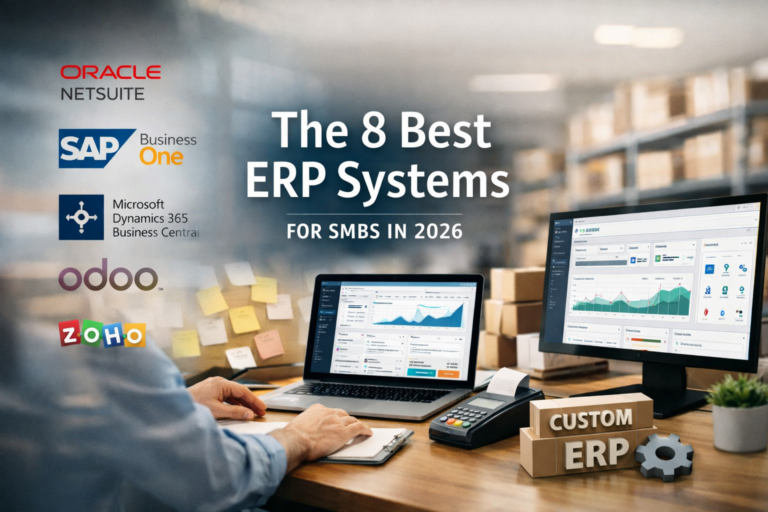
With that in mind, here are the eight best ERP options for SMBs in 2026.
The 8 Best ERP Systems for Small and Medium Businesses in 2026
1. NetSuite (Oracle)
Best for: Growing SMBs that need a proven, cloud-native ERP with broad module coverage.
NetSuite is one of the most widely adopted ERP platforms for mid-market businesses. It covers financials, inventory, order management, CRM, and eCommerce in a single cloud environment and scales well from 50 to several hundred employees.
The tradeoff is cost and complexity. Implementation takes time, and you’ll likely need a certified NetSuite partner to configure it properly. For businesses with standard workflows, that investment pays off. For businesses with highly specific processes, you may spend months customizing a platform that still doesn’t quite fit.
Strengths: Mature feature set, strong reporting, cloud-native, large partner ecosystem. Limitations: Higher cost, implementation complexity, can feel over-engineered for smaller teams.
2. SAP Business One
Best for: Product-based businesses and manufacturers with 20 to 200 employees.
SAP Business One is SAP’s SMB-focused offering — separate from the enterprise S/4HANA suite. It handles financials, purchasing, inventory, production, and sales in one system, and it’s particularly strong for businesses that deal with physical goods and need tight inventory control.
Setup requires an SAP partner, and ongoing licensing adds up. But for product companies that need reliable inventory and procurement management, it’s a well-tested option.
Strengths: Strong inventory and production modules, global compliance support, stable platform. Limitations: Interface feels dated, partner-dependent implementation, ongoing licensing cost.
3. Microsoft Dynamics 365 Business Central
Best for: Teams already in the Microsoft ecosystem — Office 365, Teams, Azure.
Business Central integrates naturally with tools many SMBs already use. If your team lives in Excel and Outlook, the learning curve is shorter than most ERP platforms. It covers financials, supply chain, project management, and sales.
The modular pricing structure means you can start with what you need and expand later. That said, customization still requires a Microsoft partner, and costs can climb quickly once you start adding modules.
Strengths: Microsoft integration, modular pricing, strong financial management. Limitations: Customization requires a partner, can get expensive at scale, UI takes adjustment.
4. Odoo
Best for: SMBs that want a flexible, open-source-based ERP with a wide app ecosystem.
Odoo is one of the most adaptable off-the-shelf ERP options available. It offers a large library of modules covering accounting, inventory, eCommerce, HR, and more. The community edition is open source; the enterprise version adds support and more advanced features.
The flexibility is real, but it comes with a catch: Odoo implementations can sprawl. Without a clear scope, you can end up with a system that’s half-configured and hard to maintain. A disciplined implementation approach matters here more than with most platforms.
Strengths: Highly modular, open source base, active community, competitive pricing. Limitations: Implementation quality varies widely, can become complex without discipline.
5. Sage Intacct
Best for: Finance-first SMBs, particularly in services, nonprofits, and healthcare.
Sage Intacct is built around financial management, and that focus shows. Multi-entity accounting, revenue recognition, and financial reporting are genuinely strong. If your primary pain point is financial visibility and compliance, Intacct is worth a close look.
It’s less capable on inventory and operations. If you need a system that ties together finance, warehouse, and fulfillment, you’ll likely need additional integrations.
Strengths: Best-in-class financial management, strong compliance tools, clean reporting. Limitations: Limited operational modules, integration-dependent for non-finance functions.
6. Acumatica
Best for: Distribution, manufacturing, and construction businesses that need flexible deployment.
Acumatica is a cloud ERP with a consumption-based pricing model — you pay based on usage rather than per seat. That’s a meaningful advantage for businesses with fluctuating team sizes or seasonal operations. It covers financials, distribution, manufacturing, field service, and project accounting.
The platform is genuinely flexible and has a strong partner network in North America. Implementation timelines vary, but the architecture makes it easier to adapt than some older ERP systems.
Strengths: Consumption pricing, strong distribution and manufacturing modules, flexible deployment. Limitations: Less name recognition, partner quality varies by region.
7. Zoho ERP (Zoho One)
Best for: Small businesses that want an affordable, integrated suite without enterprise complexity.
Zoho One bundles CRM, finance, inventory, HR, and project management into one subscription. It’s not a traditional ERP in the strictest sense, but for small businesses with 10 to 50 employees, it covers most operational bases at a price point that makes sense.
The integration between Zoho apps is solid. The depth of each individual module is shallower than dedicated ERP platforms. If you don’t need heavy manufacturing or complex inventory logic, Zoho One is a practical starting point.
Strengths: Affordable, broad app coverage, easy to start, good for small teams. Limitations: Shallow modules compared to dedicated ERP, less suited for complex operations.
8. Custom ERP Development
Best for: Mid-market businesses with specific workflows that off-the-shelf platforms can’t accommodate cleanly.
This is the option most businesses overlook — until they’ve already spent 18 months trying to force a packaged platform to fit their operations.
A custom ERP is built around your actual processes, not a generic business model. You define the modules, the data structure, the integrations, and the workflows. No licensing fees, no modules you’re paying for but never using, no workarounds stacked on top of workarounds.
The tradeoff is upfront investment and the quality of the team building it. A custom ERP built without a structured process can become a maintenance problem fast. That’s why the development approach matters as much as the technology itself.
At TechYouKnow, custom ERP development follows a three-step process: Analyze, Implement, Optimize. The Analyze phase maps your current workflows, identifies where data breaks down, and defines exactly what the system needs to do — before a single line of code is written. Implementation follows a clear scope. Optimization happens after launch, based on how your team actually uses the system day to day.
This works well for businesses that have hit real limits with off-the-shelf tools, or for operations complex enough that a packaged platform would require more customization than it’s worth.
Strengths: Built for your exact workflows, no licensing fees, no unused modules, scales with your business. Limitations: Higher upfront investment, quality depends entirely on the development partner.
Custom vs. Off-the-Shelf: How to Decide
Here’s a straightforward way to think about it:
| Situation | Better fit |
|---|---|
| Your workflows match standard business models | Off-the-shelf |
| You need to go live quickly with a proven system | Off-the-shelf |
| You have complex, industry-specific processes | Custom |
| You’ve already tried 2+ platforms and hit limits | Custom |
| You want to eliminate per-seat licensing long-term | Custom |
| You need deep integration with existing systems | Custom |
Most businesses land somewhere in the middle. Off-the-shelf platforms work until they don’t. The real question is whether you’re at that inflection point now or heading toward it.
One Question Worth Asking Before You Decide
Before evaluating any platform, ask yourself: “What would this system need to do that our current tools can’t?”
If your answer is specific — automate purchase order approvals, connect your warehouse to your finance system, give your sales team real-time inventory visibility — you have a clear scope to evaluate against. If your answer is vague, spend more time in the analysis phase before committing to any platform.
That’s exactly where a structured intake process helps. TechYouKnow’s free consultation is built around that kind of scoping conversation, not a sales call. You leave with clarity on what you actually need, regardless of whether you move forward with a custom build.
FAQs
What is the best ERP system for a small business in 2026? There’s no single right answer — it depends on your industry, team size, and operational complexity. Zoho One and Odoo work well for smaller teams with standard workflows. NetSuite and Business Central suit growing mid-market businesses. Custom ERP development is the right fit when your processes don’t map cleanly to any packaged platform.
How much does an ERP system cost for a small business? Off-the-shelf platforms typically charge monthly subscription fees per user or per module, plus implementation costs. Custom ERP development involves a one-time project investment with no ongoing licensing fees. Costs vary significantly based on scope and the development partner you choose.
What’s the difference between a custom ERP and an off-the-shelf ERP? An off-the-shelf ERP is a pre-built platform you configure to fit your business. A custom ERP is built specifically for your workflows from the ground up. Off-the-shelf is faster to deploy initially. Custom tends to be more precise and more cost-effective over time for businesses with complex or unique operations.
How long does it take to implement an ERP system? Off-the-shelf implementations range from a few weeks to several months depending on complexity. Custom ERP development timelines depend on scope, but a structured Analyze phase upfront significantly reduces surprises during build and launch.
Can a small business afford a custom ERP? Yes, depending on the scope. Custom ERP development isn’t exclusively an enterprise investment. Mid-market businesses with 50 to 500 employees regularly commission custom systems when the operational fit justifies it. The key is working with a development partner who scopes the project clearly before any work begins.
What should I look for in an ERP development agency? Look for a team that starts with a structured discovery or analysis phase before writing code, communicates in business outcomes rather than technical jargon, and has documented case studies from businesses similar to yours. Avoid agencies that default to vague hourly billing without clear deliverables.
Is Odoo a good ERP for small businesses? Odoo is a strong option for small and mid-size businesses that want flexibility at a competitive price. It works best when implemented with a clear scope and a disciplined configuration approach. Without that structure, implementations can become difficult to maintain over time.
Choosing the right ERP is one of the most consequential infrastructure decisions your business will make. Get the analysis right, and everything that follows becomes much cleaner.
If you’re weighing a custom ERP build against an off-the-shelf platform and want a straight answer on which direction makes sense for your operations, book a free consultation with TechYouKnow. No lengthy scoping engagement — just a direct conversation about what you actually need.