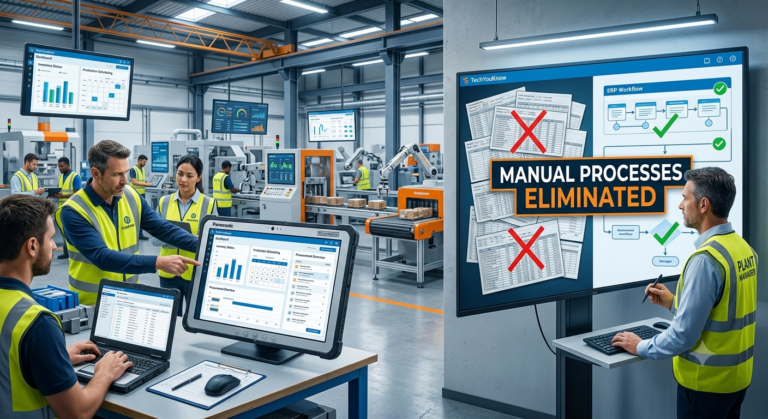
Manual processes are expensive. Not just in labor hours, but in errors, delays, and the slow erosion of trust your team has in the data they’re looking at every day.
For one manufacturing client, that cost had become impossible to ignore. Purchase orders lived in spreadsheets. Inventory counts were done by hand. Production schedules were tracked across disconnected tools that never quite talked to each other. The operations director knew something had to change — but wasn’t sure what a real solution looked like, or who could actually build it.
Here’s how TechYouKnow approached that problem, what the ERP build looked like from start to finish, and what the client walked away with.
A Business Running on Workarounds
The client was a mid-market manufacturer with around 120 employees. They’d grown steadily over four years, but their internal systems hadn’t kept up. By the time they reached out, the operations team was spending a significant chunk of every week reconciling data between tools that were never designed to work together.
The pain points were specific:
- Inventory levels were unreliable because updates happened manually and inconsistently
- Production scheduling required constant back-and-forth between department heads
- Purchase orders were tracked in spreadsheets that different team members maintained separately
- Reporting was slow — someone had to pull data from multiple sources and compile it by hand before anyone could act on it
The operations director had already looked at off-the-shelf ERP platforms. Some were too large and expensive for their scale. Others required so much configuration that the “out-of-the-box” promise fell apart quickly. What they needed was a system built around how their business actually worked — not one that required them to reshape their operations to fit a template.
Analyze Before You Build Anything
The first thing TechYouKnow did was not write a single line of code.
Every TYK engagement starts with the Analyze phase. Before any system gets designed, the team maps the client’s actual workflows, identifies where data breaks down, and documents what the end state needs to look like. For this client, that meant working directly with the operations director, the warehouse team, and production supervisors to understand how work moved through the business day to day.
Three core problems came into focus:
- Data lived in silos with no single source of truth
- Approval workflows were informal and inconsistently followed
- Reporting depended entirely on manual effort rather than automated data pulls
That clarity shaped everything that followed. The system TYK designed wasn’t a generic ERP template applied to a manufacturing context — it was built specifically around this client’s inventory management, purchase order workflow, and production scheduling needs.
What the Custom ERP System Actually Included
Centralized Inventory Management
Every team member got a single, real-time view of inventory. Stock levels updated automatically as materials moved through production. The warehouse team no longer needed to manually log counts at the end of each shift and hope the rest of the team had done the same.
Automated Purchase Order Workflow
Purchase orders moved through a structured approval chain inside the system. Requests triggered notifications to the right people, approvals were logged, and confirmed orders fed directly into inventory projections. The spreadsheet-based process that had required constant follow-up was gone.
Integrated Production Scheduling
The production schedule connected directly to inventory data. If a material was running low, the schedule reflected it automatically. Department heads could see the same information at the same time — which cut the back-and-forth that had been eating hours every week.
Automated Reporting
The operations director could pull accurate, up-to-date reports on demand. No more end-of-week data compilation. No more waiting on a manual export before a Monday morning meeting.
Delivery Without Surprises
One of the most common complaints mid-market businesses have about ERP implementations is that they drag. Timelines slip. Scope creep sets in. The team that sold the project hands it off to a delivery team that operates differently.
TYK’s Implement phase is designed to prevent exactly that. Because scope was defined during the Analyze phase, the build had clear parameters from day one. The client had a consistent point of contact throughout. Milestones were documented and visible, so the operations director always knew where things stood.
The system was built for the client’s actual infrastructure, with cloud-based data access so the team could work from the floor, the office, or off-site without losing visibility into live operations.
Making Sure It Sticks
Delivering software isn’t the finish line. The Optimize phase is where TYK ensures the system performs the way it was designed to — and adapts where real-world use reveals gaps.
After launch, the team monitored how staff used the system, identified friction points, and made targeted adjustments. The goal wasn’t to add features for the sake of it. It was to make sure the system genuinely replaced the manual processes it was built to eliminate, not just sit alongside them.
By the end of the Optimize phase, the client’s operations team was working from a single system. The manual reconciliation work that had consumed hours each week was gone. Reporting that used to take a full day now took minutes.
What This Case Study Shows
A few things stand out from this engagement that apply to any mid-market business weighing a custom ERP build.
Off-the-shelf rarely fits manufacturing workflows. The client had already explored standard platforms. The issue wasn’t the technology — it was that generic systems require businesses to adapt to the software rather than the other way around. Custom ERP development starts from your workflows, not from a feature list.
The Analyze phase isn’t overhead — it’s the foundation. Skipping discovery to move faster into development is one of the most common ways ERP projects fail. The time spent mapping workflows upfront prevents expensive rework later.
A structured process protects the client. The operations director knew what was being built, why, and when. That kind of clarity is rare in agency engagements, and it’s the reason this project delivered what it promised.
If your business is running on spreadsheets and disconnected tools — and you’ve been putting off the decision because past agency experiences left you skeptical — that’s worth a conversation. See more work like this at techyouknow.com/case-studies, or book a free consultation at techyouknow.com/free-consultation to talk through what a custom ERP system could look like for your operation.
FAQs
What is an ERP implementation case study? It documents how a business moved from manual or disconnected processes to a custom ERP system — covering the problem, the build, and the measurable outcomes. Case studies help other businesses understand what a real implementation looks like before committing to a project.
How long does a custom ERP implementation take? It depends on scope, workflow complexity, and how clearly requirements are defined before development begins. Engagements that start with a thorough discovery phase tend to move faster overall because the build has clear parameters from day one.
What’s the difference between a custom ERP and an off-the-shelf platform? Off-the-shelf platforms are built for broad use cases. They work well for businesses with standard workflows, but mid-market companies with specific operational needs often find they spend as much time configuring a generic platform as they would building something custom. A custom ERP is designed around your actual processes, not a template.
How do you know if your business is ready for a custom ERP? Common signs: manual data reconciliation eating significant staff time each week, inventory or scheduling errors that trace back to disconnected systems, and reporting that requires pulling from multiple tools by hand. If your team is spending more time managing data than acting on it, a custom ERP is worth evaluating.
Does TechYouKnow only build ERP systems for manufacturing clients? No. TYK builds custom ERP systems across industries — product, retail, and services businesses included. The manufacturing engagement above is one example. The Analyze, Implement, Optimize process applies regardless of industry.
What happens after the ERP system launches? The Optimize phase follows every implementation. TYK monitors real-world performance, identifies friction points, and makes adjustments to ensure the system does what it was built to do. Delivery doesn’t end at go-live.
How do I get started? The first step is a free consultation. TYK uses a structured intake process to understand your current workflows, your goals, and what a custom system would need to accomplish. From there, the Analyze phase begins. Book that conversation at techyouknow.com/free-consultation.
Manual processes don’t fix themselves. If your workflows have outgrown the tools holding them together, a custom ERP built around how you actually operate is the most direct path forward. Book a free consultation and find out what’s possible.