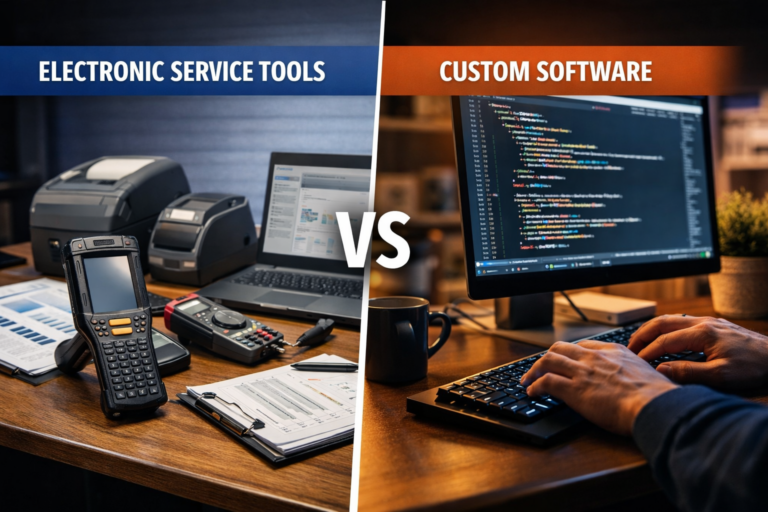
If you’ve been researching electronic service tools, you’ve probably noticed how broad the category is. Diagnostic platforms, field service management systems, maintenance scheduling software, remote monitoring dashboards — they all fall under the same umbrella. And most of them promise to solve your operational problems right out of the box.
The reality is messier than that. For businesses with straightforward, standardized workflows, off-the-shelf tools work fine. But for companies that have grown past that point — where your processes don’t fit neatly into a vendor’s template — those tools start creating as many problems as they solve.
In 2026, more mid-market businesses are making a deliberate call: skip the workarounds and build something that actually fits.
What Is an Electronic Service Tool?
An electronic service tool (EST) is any software or digital system used to manage, monitor, or deliver service operations. The term is broad by design. It covers:
- Field service management platforms that dispatch technicians and track job status
- Diagnostic software used in manufacturing, automotive, or industrial settings
- Maintenance and asset tracking systems
- Customer service portals and ticketing systems
- Remote monitoring tools tied to IoT hardware
In industrial and technical contexts, ESTs often refer specifically to proprietary diagnostic software — the kind used to interface with machinery, vehicles, or complex equipment. In a business operations context, the term stretches to cover any digital tool that powers how your service team works.
The problem isn’t the category. It’s what happens when a generic tool meets a specific business.
Where Off-the-Shelf Electronic Service Tools Break Down
Most commercial ESTs are built for the median customer. That’s a reasonable product decision. But if your workflows sit outside that median — and most growing businesses do — you end up bending your operations to fit the software instead of the other way around.
Here’s what that looks like in practice:
You’re paying for features you don’t use. Enterprise-tier platforms bundle dozens of modules. You need four of them. The rest add complexity, cost, and training overhead you didn’t ask for.
Clean integration is harder than advertised. Your ERP, your CRM, your inventory platform — they all need to talk to each other. Off-the-shelf tools often offer integrations in theory but require significant configuration, middleware, or manual data entry to make them work in practice.
Customization hits a ceiling. Most platforms let you configure fields, rename labels, and adjust permissions. But if your service workflow has a genuinely unique step — a custom approval chain, a proprietary pricing model, a non-standard data structure — you hit a wall fast.
You’re locked into the vendor’s roadmap. Features you need get deprioritized. Pricing changes. The platform pivots. You have no say in any of it.
For businesses processing high service volumes, operating in specialized industries, or running complex multi-team workflows, these aren’t minor inconveniences. They’re operational drag that compounds over time.
Why Custom Software Is the Practical Choice in 2026
Custom software used to mean a long, expensive, uncertain build. That reputation made off-the-shelf tools attractive even when they didn’t fully fit. But the calculus has shifted.
Development timelines have compressed. Structured delivery processes mean you can go from scoping to a working system in weeks, not years. And the long-term cost of patching a mismatched tool — in time, workarounds, and lost productivity — often exceeds the upfront investment in building something right.
More importantly, custom software gives you things no packaged EST can match:
Exact workflow fit. Your service process is built into the system, not approximated by it. No workarounds, no manual steps to compensate for missing features.
Real integration. A custom-built electronic service tool can connect directly to your ERP, your customer database, your billing system, and your reporting stack — without middleware hacks.
Ownership. You own the codebase. Vendor pricing changes, sunset announcements, and feature removals stop being your problem.
Scalability on your terms. As your business grows, the system grows with it. You add what you need, when you need it.
This matters most for businesses in industrial services, healthcare, field operations, and technical support — sectors where service workflows are complex, compliance requirements are specific, and generic tools consistently fall short.
The Build Decision: What to Evaluate Before You Commit
Choosing to build custom isn’t automatic. It’s the right call when the math works and the use case warrants it. Before committing, ask yourself:
- How much operational friction is the current tool creating? If your team is spending significant time on manual workarounds, that’s a measurable cost.
- Have you hit a hard ceiling on customization? If you’ve maxed out what the platform allows and still can’t do what you need, that’s a clear signal.
- Do your integrations actually work cleanly? Broken data flows between systems compound over time.
- Is your service workflow genuinely differentiated? If it is, a generic tool will never fully support it.
- What’s the total cost of staying vs. building? Factor in licensing, workaround labor, integration costs, and the opportunity cost of slower operations.
If the answers point toward building, the next question is who builds it and how.
How TechYouKnow Approaches Custom Electronic Service Tools
At TechYouKnow, every project runs through the same three-step delivery process: Analyze, Implement, Optimize.
Analyze means a genuine deep dive into your current workflows, your data structure, your integration requirements, and your growth plans. Not a surface-level discovery call — a real assessment of what you need the system to do and exactly where your current tool is failing you.
Implement is where the build happens. Whether that’s a custom ERP system, a field service platform, a client-facing web app, or a mobile tool for your service team, everything is scoped to your actual requirements — not adapted from a template.
Optimize is the phase most agencies skip. After launch, you refine. You measure. You improve based on real usage data, not assumptions made during scoping.
This process matters because the biggest risk in custom software isn’t the build itself — it’s building the wrong thing. Structured analysis before implementation is what prevents that.
TechYouKnow has delivered this kind of work across industrial, healthcare, and platform-based businesses. The case studies include an industrial system for Emerson, a healthcare mobile app, and a writing platform for Smodin — each one purpose-built around specific operational needs, not adapted from a generic starting point.
What the Right Custom Tool Actually Delivers
When the build is done well, the results are specific and measurable. Your service team stops working around the system and starts working through it. Data flows cleanly between platforms. Reporting reflects what’s actually happening in your operations. Clients get a faster, more consistent experience.
That’s not a vague promise. It’s what happens when software is built to match your workflow instead of forcing your workflow to match the software.
The businesses choosing bespoke in 2026 aren’t doing it because it’s fashionable. They’re doing it because the math finally makes sense — and because staying on a tool that doesn’t fit has a real and growing cost.
Ready to stop working around your current tools? Learn more about how TechYouKnow builds custom systems at techyouknow.com.
FAQs
What is an electronic service tool? An electronic service tool is any software or digital system used to manage, monitor, or deliver service operations. This includes field service management platforms, diagnostic software, maintenance and asset tracking systems, customer service portals, and remote monitoring tools. In industrial contexts, the term often refers specifically to proprietary diagnostic software used with machinery or equipment.
When does it make sense to build a custom electronic service tool instead of buying one? It makes sense to build custom when your workflows don’t fit standard templates, when you’ve hit the customization ceiling of your current platform, when integrations with your other systems aren’t working cleanly, or when the ongoing cost of workarounds exceeds the investment in a purpose-built solution.
How long does it take to build a custom service tool? Timelines vary based on complexity. A well-scoped custom build can move from analysis to a working system in weeks for simpler projects, or several months for more complex platforms. The key is a structured process that defines requirements clearly before development begins.
What’s the difference between configuring an off-the-shelf tool and building custom software? Configuration means adjusting settings within what a vendor has already built. Custom development means building the system to your exact specifications from the ground up. Configuration is faster upfront but hits limits quickly. Custom development takes more time initially but produces a system that fits your workflow precisely and can scale as your business grows.
Can a custom electronic service tool integrate with my existing ERP or CRM? Yes. One of the main advantages of custom software is the ability to build direct integrations with your existing systems — ERP, CRM, billing platforms, inventory tools — without relying on middleware or manual data transfers. The integration architecture is designed as part of the build, not bolted on afterward.
What industries benefit most from custom electronic service tools? Industries with complex, specialized, or compliance-heavy service workflows benefit most. This includes industrial and manufacturing services, healthcare and field medical services, technical support operations, and any business running multi-team service workflows that don’t map cleanly to generic software templates.
How do I know if my current electronic service tool is holding my business back? Common signs include your team spending significant time on manual workarounds, data that doesn’t flow cleanly between systems, customization requests the vendor can’t fulfill, and reporting that doesn’t reflect how your operations actually work. If any of those sound familiar, it’s worth evaluating whether a custom build makes more sense than continuing to patch what you have.